Looking for the PhilHealth login page? The PhilHealth Member Portal allows registered members to access their membership information and manage various online services. Through the official portal, members can check their premium contributions, view membership details, download their Member Data Record (MDR) and access other available services.
The Philippine Health Insurance Corporation (PhilHealth) provides these online facilities to make it easier for members to manage their health insurance information without frequently visiting a local office.
If you already have a PhilHealth online account, follow this guide to access your Member Portal and find the services available after login.
PhilHealth Member Portal Login 2026
Registered PhilHealth members can access their online accounts through the official Member Portal.
Official PhilHealth Login Page:
https://memberinquiry.philhealth.gov.ph/member/
Follow these simple steps to log in:
Visit the official PhilHealth Member Portal.
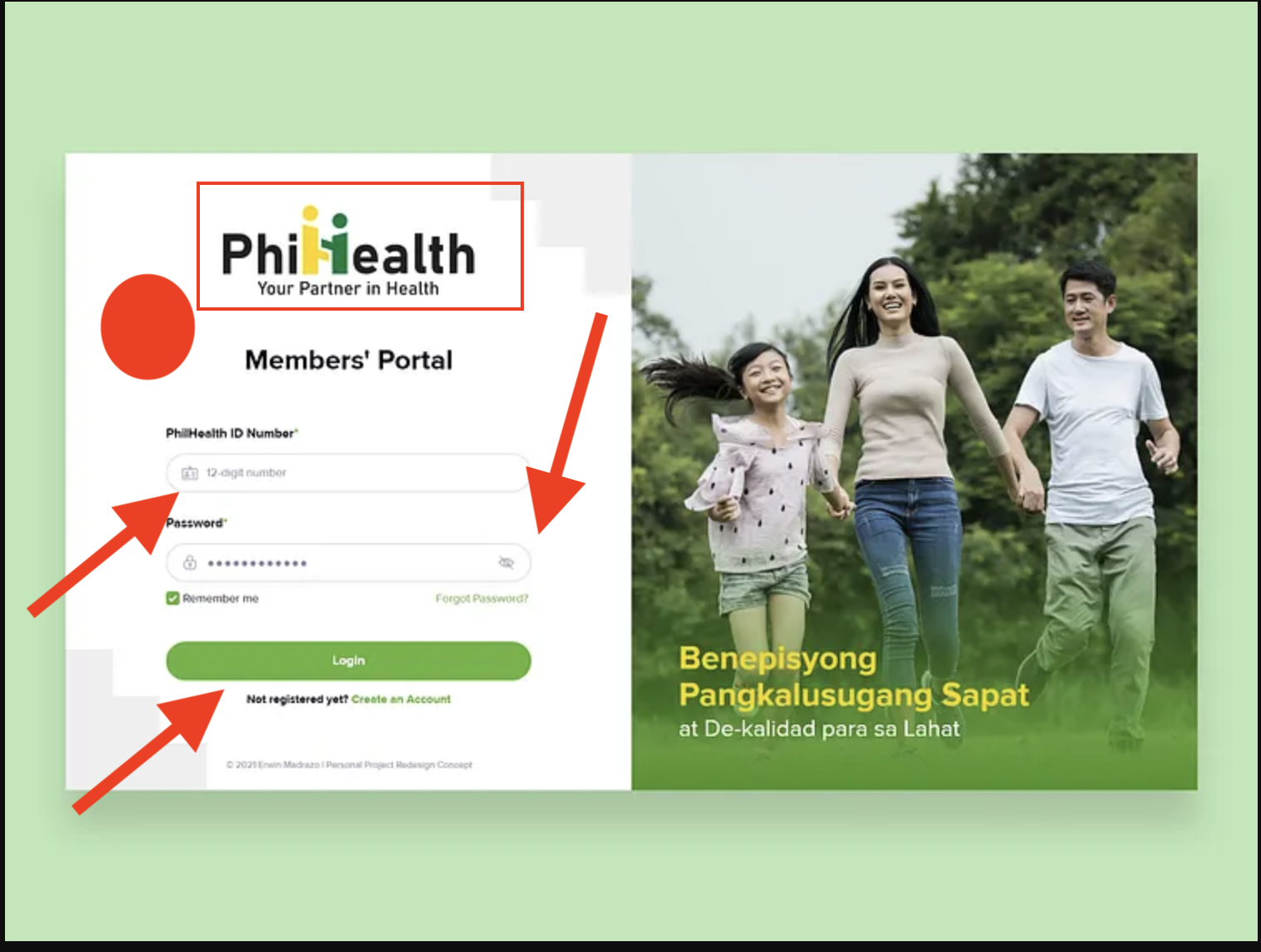
- Enter your PhilHealth Identification Number (PIN).
- Enter your registered account password.
- Complete the “CAPTCHA” verification.
- Click the Login button.
- After successful verification, you can access your member dashboard.
Make sure you enter the correct PhilHealth PIN and password. Your PIN is your membership identification number, while your password is used to access your online account.
PhilHealth Login Requirements
Before accessing your PhilHealth account, keep the following information ready:
- Valid PhilHealth Identification Number (PIN).
- Registered Member Portal password.
- Internet connection.
- Computer, laptop or smartphone.
- Access to your registered email address if additional verification is required.
Your membership details should be accurate and match your PhilHealth records.
What Can You Do After PhilHealth Login?
After successfully logging in to your PhilHealth Member Portal, you can access several online services.
1. Check PhilHealth Membership Information
View your available membership details, personal information and membership category through your online dashboard.
2. Check PhilHealth Contributions
Review your posted premium contributions and check the payment periods recorded in your account.
3. Download PhilHealth MDR
Access your Member Data Record (MDR), which contains your membership details and registered dependents. You can view and print your MDR for future reference.
4. View Registered Dependents
Check the dependents recorded under your PhilHealth membership and verify whether their information is correct.
5. Access Statement of Premium Account
Eligible self-paying members can use the available portal facilities to generate their Statement of Premium Account (SPA).
6. Pay PhilHealth Contributions Online
Eligible members can access supported online premium payment facilities through the available payment options.
7. Select a YAKAP Healthcare Provider
Members can use the available portal services to search for and select their preferred YAKAP healthcare provider.
How to Check PhilHealth Contributions After Login
PhilHealth members can check their available contribution records through the online portal.
Follow these steps:
- Visit the PhilHealth Member Portal.
- Log in using your PIN and password.
- Open your member dashboard.
- Navigate to the Premium Contribution section.
- Review your posted payment records.
- Check the contribution periods and amounts.
If a recent payment is not showing, allow time for processing. If the issue continues, contact your employer or PhilHealth for assistance.
How to Download PhilHealth MDR After Login
The Member Data Record (MDR) contains important information about your PhilHealth membership and registered dependents.
To download your MDR:
- Open the official PhilHealth Member Portal.
- Enter your login details.
- Access your member information.
- Look for the MDR viewing or printing option.
- Open your record and verify the information.
- Download or print a copy if the option is available.
Keep a copy of your MDR for future healthcare-related transactions.
PhilHealth Login Not Working? Common Problems and Solutions
Sometimes members may face difficulties while accessing their online accounts. Here are some common issues and possible solutions.
- Incorrect PhilHealth PIN: Check your identification number carefully before submitting the login form.
- Wrong Password: Make sure you are entering the correct password. Use the available password recovery option if you cannot remember it.
- CAPTCHA Verification Error: Refresh the CAPTCHA and enter the new code displayed on the screen.
- Account Temporarily Unavailable: The portal may experience maintenance or technical problems. Try accessing it again later.
- Website Not Loading: Check your internet connection and try using another updated browser.
- Unable to Access Your Account: If the problem continues, contact PhilHealth through its official support channels.
PhilHealth Forgot Password – How to Recover Your Account
If you forget your Member Portal password, visit the official login page and look for the Forgot Password option.
Follow the instructions displayed on the website to recover your account. You may need access to your registered email address to complete the recovery process.
Never share your password or OTP with anyone claiming to provide PhilHealth login assistance.
PhilHealth Login on Mobile Phone
You can access the PhilHealth Member Portal using your smartphone. There is no need to use a desktop computer for basic login services.
Follow these steps:
- Open Chrome, Safari or another mobile browser.
- Visit the official PhilHealth Member Portal.
- Enter your PhilHealth PIN.
- Type your account password.
- Complete the CAPTCHA verification.
- Tap the Login button.
After successful login, you can access the available membership services through your mobile browser. Always log out when using a shared or public device.
PhilHealth Official Website and Contact Information
If you experience problems with your PhilHealth login, membership details or online services, contact the agency directly.
- Official website: https://www.philhealth.gov.ph/
- Member Portal: https://memberinquiry.philhealth.gov.ph/member/
- Email: actioncenter@philhealth.gov.ph
- Action Center: (02) 8662-2588
- You can also visit your nearest PhilHealth Regional Office or Local Health Insurance Office.
Frequently Asked Questions About PhilHealth Login
1. Where can I find the official PhilHealth login page?
You can access the official Member Portal at https://memberinquiry.philhealth.gov.ph/member/.
2. What details are required for PhilHealth login?
You generally need your PhilHealth PIN, registered password and CAPTCHA verification.
3. Can I access PhilHealth online using my mobile phone?
Yes. The Member Portal can be accessed through a mobile browser using your smartphone and internet connection.
4. Can I check my PhilHealth contributions after login?
Yes. You can access the Premium Contribution section to review your available posted contribution records.
5. Can I download my PhilHealth MDR online?
Yes. Registered members can access their MDR through the available Member Portal facilities.
6. What should I do if I forget my PhilHealth password?
Use the Forgot Password option on the official login page and follow the account recovery instructions.
7. Is PhilHealth online login free?
Yes. Accessing your Member Portal account is free. Be careful of unofficial websites asking for payment to provide login services.
8. Is the PhilHealth Member Portal available 24 hours?
The portal is designed for online access, but temporary maintenance or technical problems may affect its availability.
9. Is the PhilHealth login website the same as the official PhilHealth website?
The Member Portal is an official online service provided by PhilHealth. The main official website is www.philhealth.gov.ph.
Conclusion
The PhilHealth Member Portal makes it easier for registered members to access their membership information and manage important online services. Members can use the portal to check contributions, download MDR, view membership details and access other available facilities.
If you already have an online account, visit the official PhilHealth login page and enter your PIN and password to access your account. Always use official PhilHealth channels and keep your login information secure.